meles, part 1: a malware scanner that digs through the layers

Container image scanners have become part of every pipeline: they tell you
which packages have known CVEs, which configuration is risky and whether
someone left a secret in a layer. Malware is a different question. A
cryptominer dropped into /usr/local/bin has no CVE, and a webshell in a
web root is not a misconfiguration.
meles is my attempt to answer that question for my own clusters, and later
for anyone who wants it. It is a free, open source malware scanner for
container images that works the way image scanners usually do: one command
against an image reference, no Docker daemon, output for humans and for CI.
It is meant to run next to a vulnerability scanner, not to replace one. The
name comes from Meles meles, the European badger. It digs through the
layers.
This is the first part of a series. It covers what meles does and how its
parts fit together. Later parts go into the scanning details and into
running it across a fleet.
What already exists, and what is missing
I looked at what is out there (as of October 2026). Malware scanning of
container images exists, but in two forms: as a feature of commercial
platforms (Anchore Enterprise, Prisma Cloud, Aqua, Trend Micro’s Artifact
Scanner), or for a vendor’s own images: Docker scans every layer of its
Hardened Images with ClamAV and attaches the result as a signed
attestation. Trivy, a widely used free scanner,
lists malware scanning as a feature of Aqua’s commercial product, not of
Trivy itself.
The free projects I found cover a part each. Deepfence YaraHunter scans
images, running containers and filesystems with YARA rules. Dagda scans
Docker images with ClamAV; it needs the Docker daemon, and its last commit
is from May 2023. Kubescape and a ClamAV operator scan the nodes of a
cluster, not the images. Harbor, the registry many of us run ourselves,
has pluggable scanner adapters; none of those in its compatibility list is
a malware scanner.
So the niche is narrow, and in it I found nothing comparable that is
freely available: a malware scanner for container images that is free,
daemonless, layer-aware and CLI-first, with ClamAV and YARA, a
Kubernetes operator, a Harbor adapter, and output that a CI pipeline can
act on. That is where meles sits.
This is not a theoretical problem: in December 2025 Flare described a
cluster of 64 cryptomining images on Docker Hub, pulled about 6.5 million
times. In the images they examined, the miner was hidden in a directory
named after a real tool such as Gradle.
Why layers matter
A container image is a stack of tar archives. When a later layer deletes a
file, it does not remove it from the earlier layer. It adds a whiteout
entry instead:
.wh.<name>hides a single file or directory from the layers below..wh..wh..opq(an opaque whiteout) hides the whole content of a
directory from the layers below.
The running container does not see the deleted file. The image still ships
it, and anyone who pulls the image can extract it. A scanner that only looks
at the final filesystem never sees it.
meles scans every layer on its own and keeps track of the whiteouts. Every
finding carries the digest of its layer, the Dockerfile instruction from the
image history where available, and a status:
present: visible in the final filesystem.deleted: removed in a later layer, but still shipped.
The same approach makes caching cheap. In the server and the operator, a
result belongs to a layer digest and a signature database version, so the
layers of a common base image are scanned once and then skipped. A single
CLI run keeps no cache between runs: the signature database changes
several times a day, so a cache between CI jobs would rarely hit.
The scan pipeline
Every part of meles that scans, the CLI, the server and the operator, runs
the same pipeline:
image source --> puller --> layer extractor --> layer cache --> clamd --> reporter
(registry,    (go-container- (per layer,        (digest +      (INSTREAM) (table/json/
 OCI layout,   registry)      whiteouts, limits) DB version)               sarif,
 docker save)                                                              exit code)
A few decisions shape it:
- No Docker daemon. Images come straight from the registry through
go-containerregistry, with credentials from the usual Docker config. meles
runs rootless in any CI job. An image that was just built and not pushed
yet can be scanned from an OCI layout or adocker savearchive. - clamd over the network, not libclamav. meles talks to a running clamd
over its INSTREAM protocol. Linking against libclamav would make meles
GPLv2; this way meles stays Apache-2.0, and the signature database is
loaded into memory once, by clamd, instead of once per scan. - One file per stream. Sending a whole layer as one stream would be
simpler, but clamd then only answers “stream: <signature> FOUND”, without
a file name, and runs into its stream size limit. meles sends each file on
its own, over a pool of parallel sessions. - All platforms by default. For a multi-arch image meles scans every
platform in the index. Otherwise an amd64 runner could call an image clean
while its arm64 variant is infected. Layers shared between platforms are
scanned once. - Incomplete is not clean. Every size limit can be bypassed by making a
file bigger. A file that meles or clamd skips makes the report incomplete,
the output never says “No malware found”, and the exit code is the same as
for a finding unless you change it.
The exit codes follow from that: 0 clean, 1 malware found or files
skipped, 2 an error. A finding fails the pipeline without extra flags,
and an error never passes as clean. Results come as a table, as JSON or as
SARIF, for example for GitHub code scanning.
Running it in a cluster
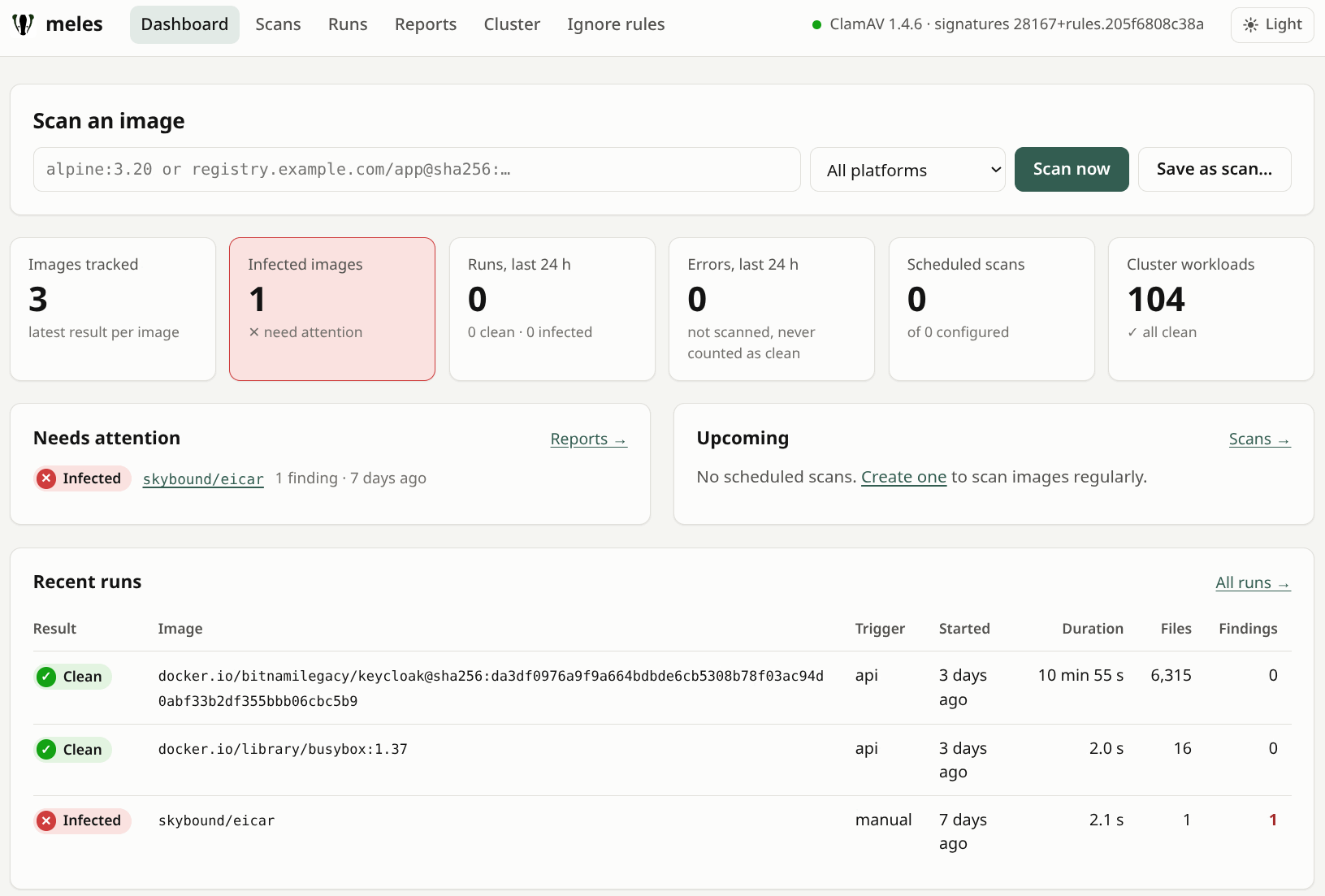
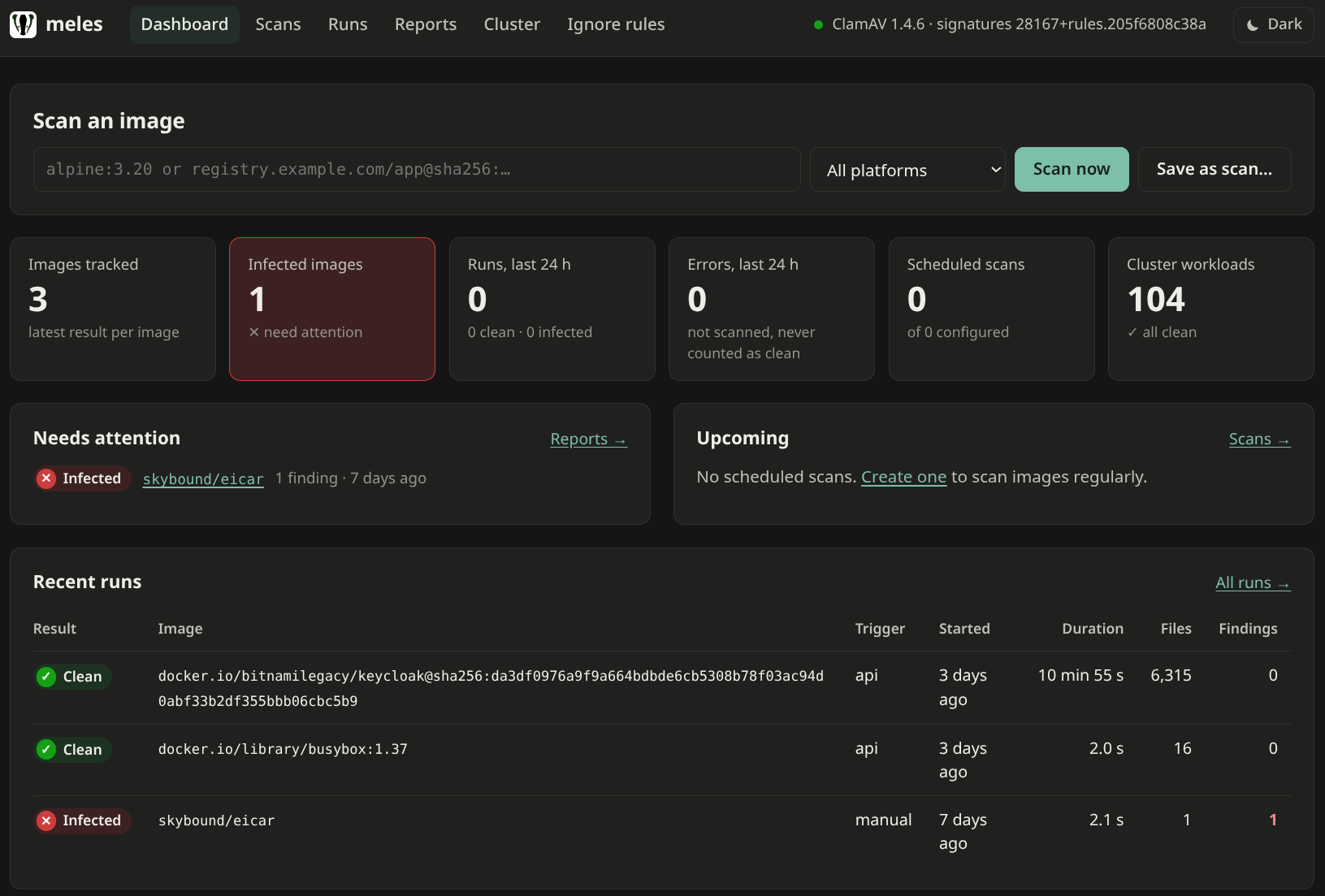
In Kubernetes, meles is a Helm chart with several roles. Each one can be
switched off on its own.
Cisco Talos CDN --> DB mirror (cvdupdate + nginx, one per site)
                        | freshclam (PrivateMirror)
                        v
                    clamd workers (signatures in RAM) + clamd-proxy (TLS, token)
                        ^              ^                 ^
                        | INSTREAM     | INSTREAM        | INSTREAM
                  meles server    meles CLI         meles operator
                  (web UI,        (CI jobs,         (watches pods,
                   schedules,      selftest)         MalwareReport CRDs,
SQLite) scan gate)- DB mirror: the only component that talks to Cisco Talos, at most once
an hour, to respect their rate limits. - clamd workers: long-running, because a full signature database needs
well over a gigabyte of RAM, and almost twice that while it reloads. - clamd-proxy: clamd has no authentication, and any client could send
SHUTDOWNor ask it to scan a path on its own disk. A small proxy in the
clamd pod adds TLS and a token and lets only the commands meles needs
through. clamd itself only listens on localhost inside the pod. - meles server: a web UI with scheduled scans and their history in
SQLite. Server-rendered pages, no JavaScript framework, no CDN, a strict
Content Security Policy. It has no login of its own; that belongs in front
of it, for example oauth2-proxy with Keycloak. - meles operator: scans what actually runs in the cluster.
- Harbor adapter: registers meles as a scanner in Harbor, chained with
Harbor’s Trivy, so one report shows CVEs and malware.
The operator
The operator watches all pods and writes one MalwareReport per workload
and container into the workload’s namespace, owned by the workload. Teams
see their own results with kubectl get malwarereports, and deleting a
workload cleans up its reports.
$ kubectl -n shop get malwarereports
NAME                                   WORKLOAD     CONTAINER              IMAGE                                   STATUS   FINDINGS   AGE
cluster-shop-db-bootstrap-controller   Cluster      bootstrap-controller   ghcr.io/cloudnative-pg/cloudnative-pg   Clean    0          5d12h
cluster-shop-db-postgres               Cluster      postgres               ghcr.io/cloudnative-pg/postgresql       Clean    0          5d12h
replicaset-web-7cb58b7fff-api-server   ReplicaSet   api-server             docker.io/library/python                Clean    0          5d12h
replicaset-web-7cb58b7fff-worker       ReplicaSet   worker                 docker.io/library/python                Clean    0          5d12h
replicaset-web-7cb58b7fff-init-db      ReplicaSet   init-db                docker.io/library/postgres              Clean    0          5d12h
replicaset-web-7cb58b7fff-nginx        ReplicaSet   nginx                  docker.io/library/nginx                 Clean    0          5d12h
Init containers get their own report, and a workload does not have to be a
Deployment: here the pods of a CloudNativePG Cluster are reported under
that custom resource.
A few things keep it cheap:
- Every digest is scanned once. Ten Deployments running the same
nginxdigest share one scan; the result is copied into all reports. - Reconciles do not scan. Reconciling a pod only reads from the informer
cache and either writes a known result or queues a scan. Scans run in
their own queue, so a ten-minute scan of a large image blocks nothing
else. - Rescans only when something changed: after a signature update, at most
once a day, and failed scans are retried later.
False positives quickly make a scanner more annoying than useful, so
exceptions are first-class: MalwareIgnore for a namespace and
ClusterMalwareIgnore for the whole cluster. Every rule needs a reason and
an expiry date, and ignored findings stay visible in the report. If the
admin allows it, a rule can also be created from a finding in the web UI;
it is stored as the same kind of Kubernetes object, with the name of the
person who created it.
The optional scan gate turns reporting into enforcement. In namespaces
labelled meles.io/gate=enforce, a webhook adds a Kubernetes scheduling
gate to every new pod. The operator resolves the image tag, scans the image,
pins the pod to the digest it scanned and removes the gate. A pod with an
infected image never starts. Scans take minutes, admission webhooks get at
most 30 seconds, so holding the pod is the only way that works. The gate is
off by default and fails open, so an outage of meles does not stop your
cluster.
Where state lives
Nothing critical lives only in memory:
| Where | What |
|---|---|
| RAM | layer cache, scan queue, recent results |
| Kubernetes API (etcd) | MalwareReports, ignore rules: the source of truth |
| SQLite (server, one PVC) | scheduled scans, their runs and findings, report history |
When the operator restarts, running scans start over and the reports are
still there.
What meles is not
meles reports what is in an image. It does not replace image signatures and
SBOMs for supply-chain security, and it does not replace runtime detection
such as Falco or Tetragon: it never sees what a container downloads after it
starts. It never changes or deletes image content either; with the scan gate
enabled it holds pods, nothing more.
Its detection is only as good as its signatures. ClamAV’s are broad but
not tuned for container threats; meles adds a curated set of about 140
YARA rules for Linux malware, cryptominers and webshells, taken from
sources with a clear license, each match naming the rule’s author.
meles selftest --yara checks that clamd has actually loaded them. A
“clean” from meles means no known malware was found, not that the image is
safe.
Next in this series
- What a CVE scanner does not look for: a demo with an EICAR file hidden
behind a whiteout. - The launch: install, quickstart, a pipeline example, honest limits.
- A deep dive into layer scanning, whiteouts and the digest cache.
- Later: the operator across a fleet of clusters.
Links
- meles: github.com/movray/meles
- Flare: Cryptomining supply-chain abuse on Docker Hub
- Docker: Malware scanning of Docker Hardened Images
- Anchore: Malware scanning in Anchore Enterprise
- Prisma Cloud: Malware scanning
- Trend Micro: Artifact Scanner CLI
- Trivy: Trivy OSS compared to Aqua
- Deepfence YaraHunter, Dagda, Kubescape: malware scanning of nodes, ClamAV operator
- Harbor: compatibility list of scanner adapters
- go-containerregistry
- ClamAV: scanning with clamd
- Kubernetes: pod scheduling readiness (scheduling gates)
- Harbor: pluggable scanners